
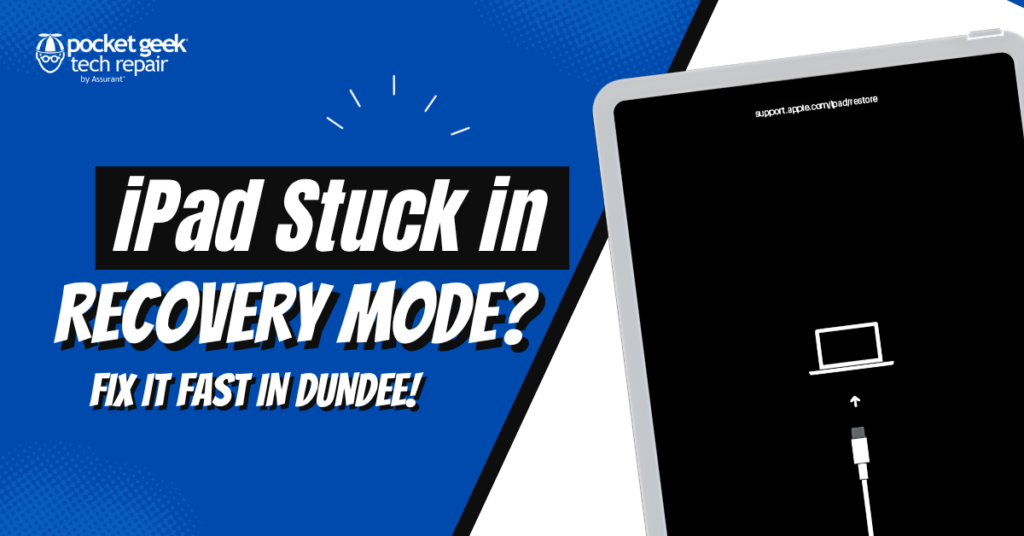

What Does “Recovery Mode” Mean?
Recovery Mode is a built-in troubleshooting state that helps fix system issues. It usually appears when:
- An iOS update fails or is interrupted
- Software files become corrupted
- The device can’t boot properly
- Restore or update process didn’t complete
In simple terms, your iPad is asking for help to reinstall or repair its system.
Common Signs Your iPad Is Stuck
- Screen shows cable and computer icon
- iPad won’t turn on normally
- Device keeps restarting or looping
- iTunes/Finder logo appears and doesn’t go away
These are all signs your iPad is stuck in recovery mode.
Quick Fixes You Can Try First
Before visiting a repair shop, try these basic solutions:
1. Force Restart
- For newer iPads: Press Volume Up → Volume Down → hold Power button
- For older models: Hold Home + Power
This can sometimes break the recovery loop without data loss
2. Update via Computer
Connect your iPad to a computer and choose Update (not Restore).
This reinstalls the system without deleting data
3. Restore (Last Option)
If updating fails, you may need to restore the device.
⚠️ This will erase all data and reinstall the system
Why iPads Get Stuck in Recovery Mode
Most cases are caused by software issues such as:
- Interrupted updates
- Corrupted system files
- Low battery during update
- Faulty cables or connection issues
- Failed restore attempts
Sometimes, hardware issues can also be involved, which require professional repair.
Professional iPad Recovery Fix in Dundee
If your iPad is still stuck, it’s best to get expert help. At Pocket Geek Dundee, technicians can safely diagnose and fix the issue.
Services include:
- iPadOS system repair
- Recovery mode removal
- Data-safe repair options
- Software reinstall and updates
- Full device testing
Many recovery issues can be fixed the same day, depending on the problem.
Why Choose Pocket Geek Dundee
- Fast turnaround times
- Experienced repair technicians
- Affordable pricing
- Honest advice (repair vs replace)
- Local, trusted service
Instead of replacing your iPad, a proper repair can save both your device and your data.
Don’t Wait Too Long
Leaving your iPad stuck in recovery mode can lead to:
- Data loss
- Further system corruption
- Complete device failure
Fixing it early increases the chances of recovery without losing data.
Visit Us in Dundee 92 Nethergate, Dundee DD1 4EL, UK
 Phone: 01382 688578
 Website: www.pocketgeekdundee.co.uk